Free Alexa Skill
Make your radio station instantly accessible on Amazon Alexa devices – at no extra cost. This free integration is included with all our streaming plans and offers a simple, seamless way to expand your station’s reach.
Reliable, high-quality internet radio streaming and hosting for radio stations, online broadcasters and DJs
Expand your station’s audience at no extra cost. Our free Alexa integration makes your radio instantly playable on Amazon devices with zero setup hassle.
Rated Excellent on Trustpilot by our customers for both customer service and stream server quality - you’re in safe hands - check our reviews here!
Market-leading control panels on offer - choose the one that suits you best. A powerful selection designed to give you full control of your radio station.

Stream your internet radio station with reliable, high-quality audio. Reach listeners beyond traditional platforms and grow your audience worldwide.
Broadcast your religious services live with clear, reliable audio. Keep your congregation connected wherever they are. Reach new audiences beyond your local community with ease.

Deliver branded in-store radio with professional, high-quality audio. Enhance your space, strengthen your brand, and engage customers. Grow your business with impactful sound.

Stream live DJ sets and performances with high-quality, low-latency audio. Build your audience, promote your brand, and reach listeners worldwide. Share your sound with ease.
Unlimited listeners, high-quality audio, and no complicated setup.
Focus on your station - we’ll handle the streaming.
Need more space? AutoDJ storage upgrades are available on Headliner
Fair usage policy applies on Unlimited Plans
Deliver your radio stream securely over HTTPS with SSL encryption, improving listener trust, browser compatibility, and modern SEO compliance.
Stream with confidence on rock-solid servers built for broadcasters. Enjoy 99.9% uptime that keeps your station live around the clock.
Run multiple streams from one server using mountpoints, perfect for different bitrates, live shows, AutoDJ, or backup streams.
We remove the hassle of transferring your audio files from your previous provider - simply contact support and we’ll handle the rest.

MediaCP delivers an advanced AutoDJ experience – complete with customisable artist/track separation rules, robust geolocking, and built-in widget generation you can tailor to fit your station’s unique branding. It's one of the most popular panels amongst broadcasters.

CentovaCast is one of the world’s most popular control panels, trusted by thousands of broadcasters worldwide. Renowned for its reliability, advanced statistics, and customisable AutoDJ system, it offers a comprehensive solution for your radio station.

Everest Panel is recognised as one of the most feature-rich streaming panels in the market. With its extensive feature set, you'll be empowered to manage all your broadcasts effectively. Do more with your radio station automation in one easy-to-use platform.
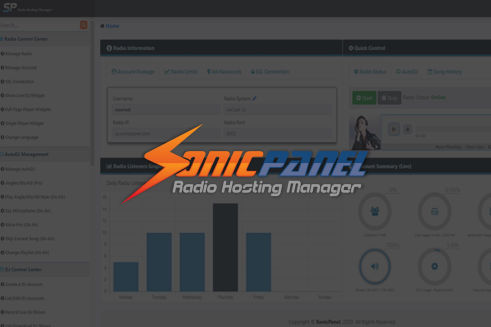
SonicPanel is a modern radio streaming control panel packed with innovative features not commonly found in other panels. With advanced AutoDJ functionality, you can schedule jingles to play before or after playlists for a more polished broadcast.
Not broadcasting live 24/7? Our powerful AutoDJ system keeps you streaming
Give each presenter their own secure login without sharing your main credentials
Select MediaCP or Everest Panel for your setup, and benefit from included geo-locking
Track listener peaks, show performance, and engagement to optimise your schedule
Embed customisable widgets on your website to boost listener engagement
Generate accurate play logs to speed up royalty submissions and reporting compliance
Make your radio station instantly accessible on Amazon Alexa devices – at no extra cost. This free integration is included with all our streaming plans and offers a simple, seamless way to expand your station’s reach.
The equipment you need depends on how you want to broadcast your internet radio station:
Option 1: Automated Streaming with AutoDJ (No Live Equipment Needed)
If you want to run a fully automated online radio station, you don’t need any broadcast hardware at all. Simply:
- Upload your MP3s or audio files to our server
- Create playlists and schedules inside the control panel
- Our AutoDJ system will stream your station 24/7 without your computer needing to stay online
This is the easiest and most cost-effective way to start your radio station. An AutoDJ plan is required.
Option 2: Live Broadcasting from Your Computer
If you want to present shows live, you’ll need:
- A computer or laptop
- Streaming encoder software (such as BUTT, Altacast, or any DJ software with built-in stream encoding like VirtualDJ, SAM Broadcaster, or Mixxx)
- An audio source such as a microphone, mixer, or your music player
The encoder software captures your audio (from your soundcard or microphone) and sends it directly to our streaming server in real time.
Option 3: Professional Setup with Hardware Encoders
For more advanced or studio-style broadcasting, you can use a dedicated hardware encoder such as the Barix Instreamer. This device takes a direct audio input (from a mixer, studio console or microphone source), encodes it, and sends a high-quality stream to our server without needing a computer.
AutoDJ is a cloud-based DJ system that keeps your radio station streaming automatically - even when you're not live. Instead of needing your computer to stay connected 24/7, you simply:
1. Upload your MP3s or audio files to the server
2. Create playlists and rotations inside the control panel
3. Schedule when you want shows or music blocks to play
4. The AutoDJ system streams your station continuously from the cloud
This means your radio station stays online 24/7 without needing constant manual control.
You can still go live whenever you want to with an AutoDJ plan.
Yes, absolutely. Most radio stations include some form of advertising or station branding, whether that’s sponsored adverts, promotional messages, or simple station identification and jingle tracks.
Using the Interval playlist feature via AutoDJ, you can automate this process so these items play at regular, predefined intervals throughout your stream. Once set up, the system will automatically insert your adverts or jingles without any manual intervention, ensuring consistent playback and a professional on-air sound.
This approach is ideal for maintaining regular sponsor exposure, reinforcing your station’s identity, and keeping your output structured - whether you’re running a fully automated AutoDJ service, live broadcasts, or a combination of both.
You stay in full control of what plays and how often, while the automation handles the timing for you.
For most stations, Icecast is the recommended streaming solution, offering greater flexibility, transparency, and long-term reliability.
Icecast is open-source software, which means it’s actively developed by a global community and isn’t tied to a single commercial roadmap. This makes it more adaptable, more future-proof, and better aligned with how modern radio stations operate. Many broadcasters prefer Icecast because it gives them greater control over their stream and avoids dependency on proprietary platforms.
It’s particularly well suited to stations running both live broadcasts and AutoDJ. Icecast allows listeners to move seamlessly between live and automated content without disconnecting, ensuring a smooth experience for your audience.
Icecast also supports multiple formats, mount points, and advanced configurations, making it ideal for stations that embed players on websites or apps, run multiple streams, or plan to expand in the future.
SHOUTcast, by contrast, is a commercial, proprietary platform. While it can handle basic streaming needs, it offers less flexibility and is more restrictive in how streams are configured and integrated. For stations looking beyond a simple setup, these limitations can become noticeable over time.
Overall, Icecast is the preferred choice for stations that value openness, scalability, and long-term control.
No - we do not provide any music licensing, royalty coverage, or content usage rights. We supply the streaming technology, but it is your responsibility to secure any required licences based on the type of content you broadcast and the laws in your country.
If your stream contains copyrighted material (such as commercial music), you must have permission or a licence from the copyright holder. This usually means obtaining the correct licence from music rights organisations or directly from the record label, publisher, or artist.
Click here for Stream Licensing Explained: Everything You Need to Know
Yes - if you want to use geo-locking on your stream, please select MediaCP or Everest Panel as your control panel. CentovaCast does not support geo-locking.
Geo-locking allows you to restrict which countries can access your stream, and it may be required depending on your music licensing agreements.
Reliable streaming for radio stations - get started today ⚡
